12 Small Desk Organization Ideas That Clear Your Work Surface
A compact shared desk works better when each small supply has a clear home that does not compete with the keyboard, monitor, or active paperwork. These affordable organizing systems separate cables, paper, stationery, and daily gear while keeping charging access and ventilation practical.
1.Mount a shallow rail above the desk for daily tools
A shallow wall rail can hold small cups, hooks, and clip-on trays for pens, scissors, headphones, and notes. It keeps the tools used every day visible without claiming the narrow strip of desk needed for work.
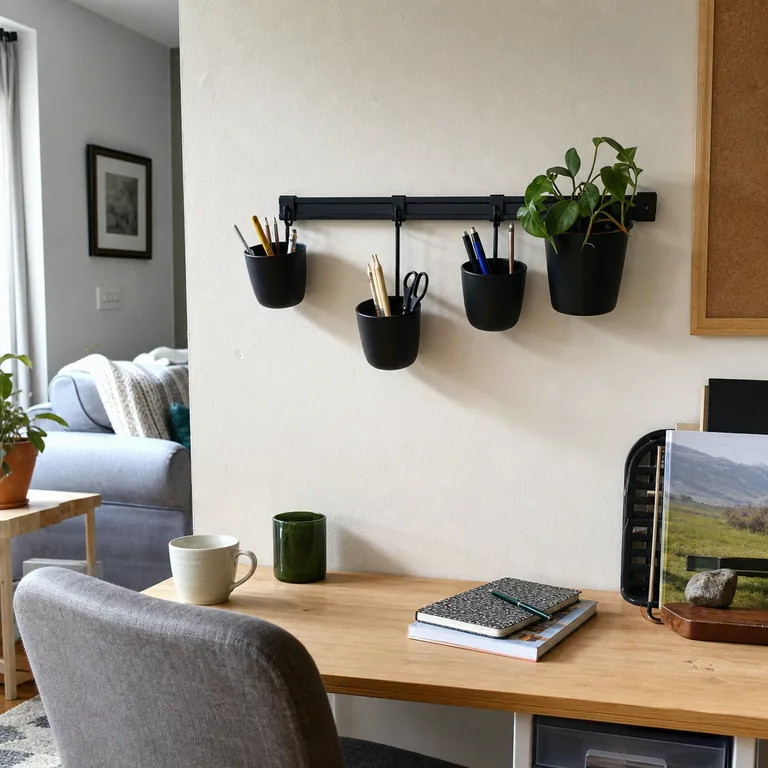
Choose only the attachments that match each person's routine, rather than filling the rail with general storage. A rail above the monitor or along one side of the desk is usually easiest to reach without leaning across the other user's space.
Use removable hooks where they hold securely, or mount the rail into a suitable wall surface for a more stable setup. Check rental rules and avoid placing it where hanging items could hit the monitor or interfere with a chair.
Worth knowing: A wall-mounted rail may not be permitted in a rental, and adhesive options can be less reliable on textured or freshly painted walls.
2.Use an under-desk cable tray and label each charger
An open cable tray under the back edge of the desk moves power strips, adapters, and extra cord length out of sight. The desktop stays clearer, and each person has fewer loose cables crossing the work area.
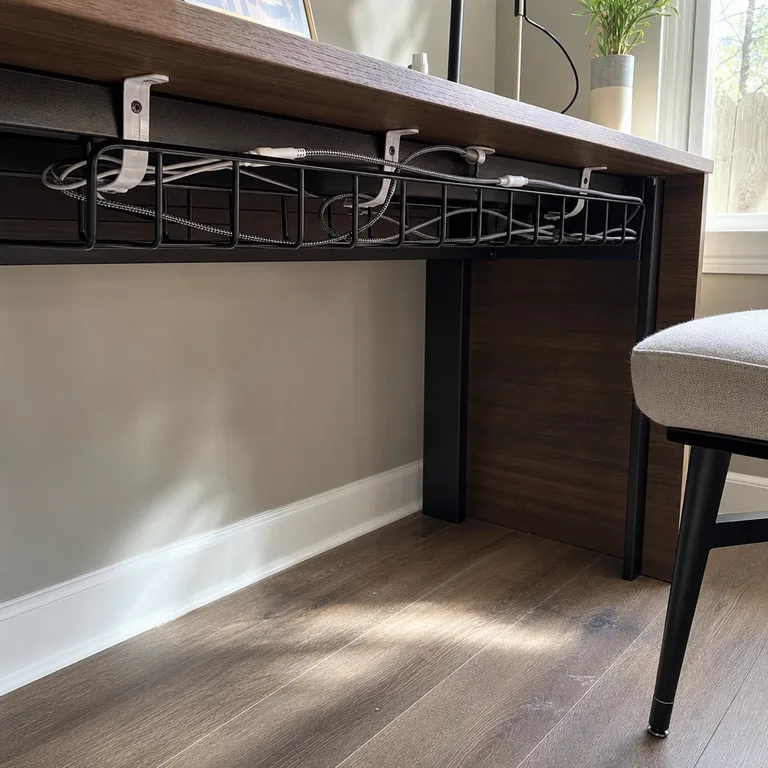
Label both ends of shared chargers with simple tags so the right cable returns to the right device. Route cords down the rear or side of the desk with clips, leaving enough slack for normal chair movement.
Choose an open tray instead of a sealed container for adapters that may get warm. Keep ventilation openings clear, avoid tightly coiling cables, and inspect cords that show wear.
Worth knowing: Some desks have thin tops, crossbars, or a design that makes clamp-on trays difficult to fit.
3.Give each desk user a portable supply caddy
Two small handled caddies give each desk user a personal place for pens, sticky notes, chargers, and other small supplies. The caddies can sit at opposite ends of the desk while both people work.
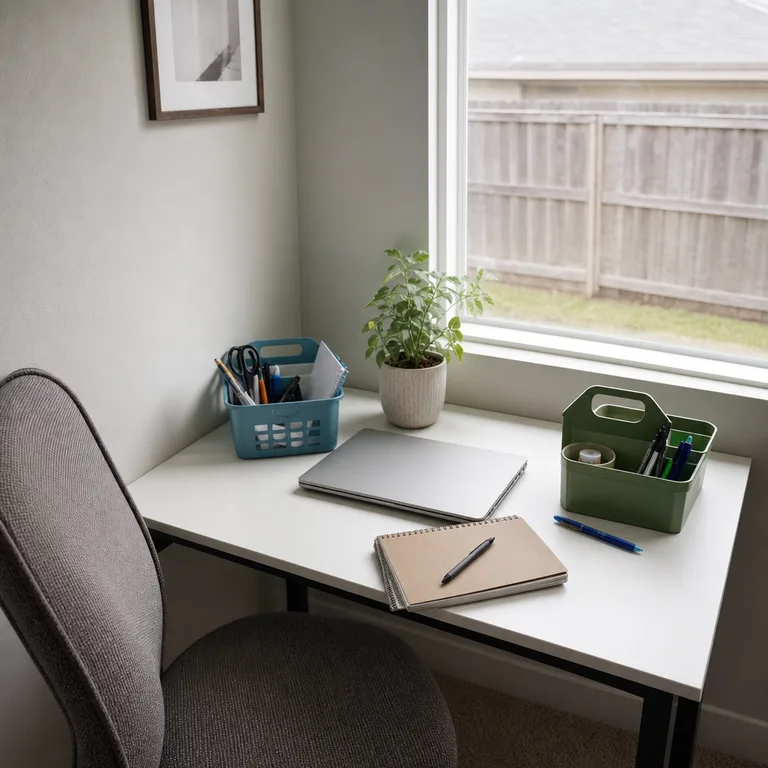
When one person needs the full surface for writing, a laptop, or a larger project, the caddy can move to a nearby shelf or cabinet. This creates a quick reset without sorting through another person's things.
Pick compact caddies with a few useful sections rather than deep bins that hide supplies. Keep only daily items inside, and store backups elsewhere so the handles remain easy to use.
Worth knowing: A portable caddy still needs a nearby landing place when the desk must be completely clear.
4.Store active papers in vertical file holders
Vertical file holders keep current mail, forms, notebooks, and project papers upright along the back or side edge of the desk. They prevent active paperwork from spreading into the keyboard and writing area.
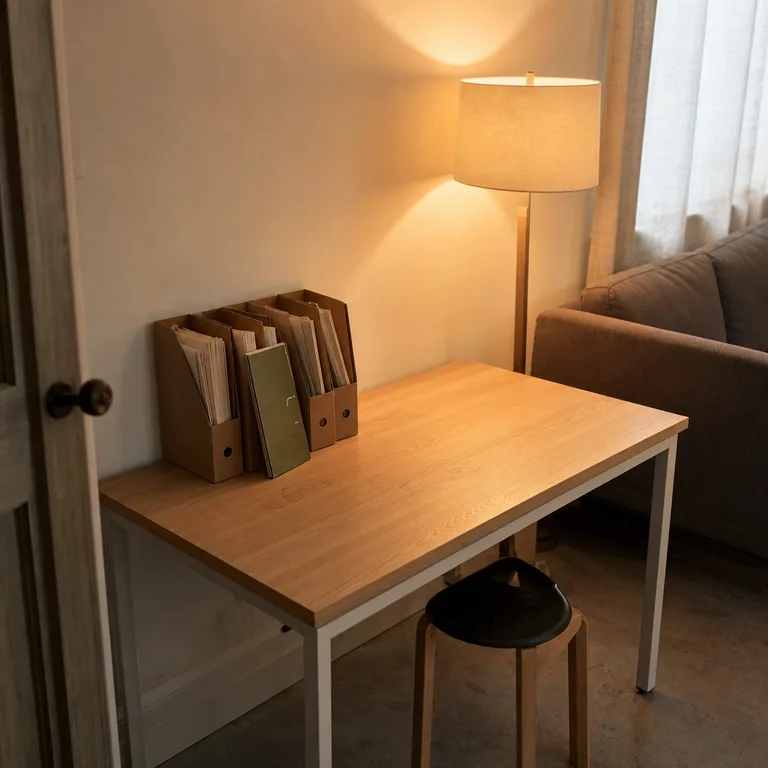
Give each holder one simple job, such as one user's current work, shared household papers, or documents waiting for action. Cardboard holders and repurposed magazine files can work well when they are kept from becoming catch-all storage.
Place the holders where papers can be removed without reaching over a monitor or another person's setup. In a sunny spot, avoid leaving important papers exposed for long periods because light can fade printed pages.
Worth knowing: Open file holders make papers easy to grab, but they do not protect private or sensitive documents.
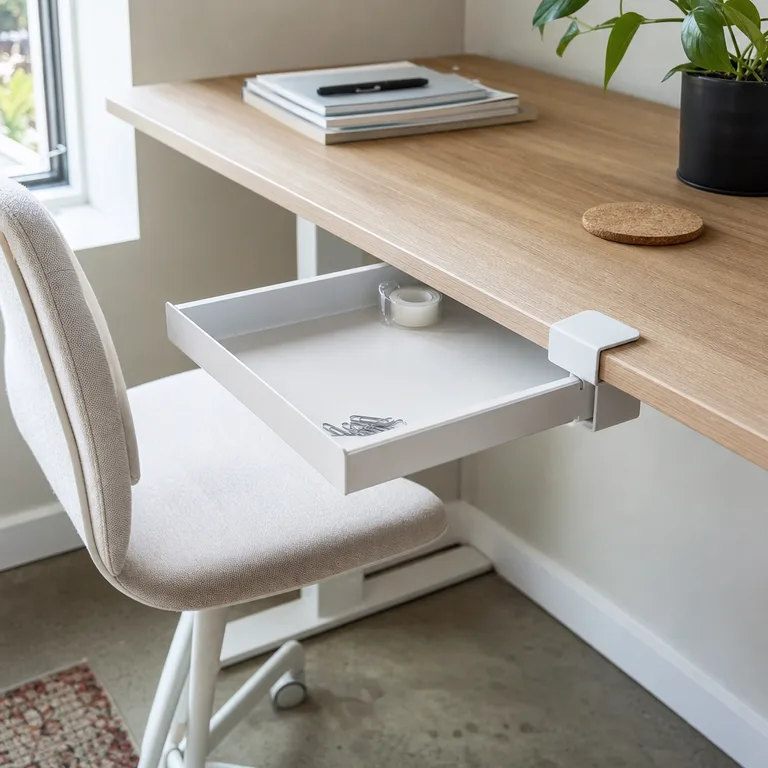
5.Add a clamp-on drawer for small stationery
A slim clamp-on or adhesive drawer puts paper clips, tape, erasers, and spare pens below the desktop. It removes visual clutter while keeping small items close to the work area.
Use shallow dividers or small cups inside so supplies do not slide into one mixed pile. A drawer shared by two people works best when each person has a defined section.
Clamp-on models are useful when a desk cannot be drilled, while adhesive versions suit a smooth, clean underside. Check that the drawer will not block knees, armrests, or the desk's existing support bars.
Worth knowing: Adhesive drawers can loosen over time, especially if they are overloaded or attached to a textured surface.
6.Hang headphones and bags from desk-side hooks
Hooks attached to the outside panel or underside of a desk can hold headphones, a work tote, and small charging pouches. This keeps bulky personal items off the desk and out of a chair seat.
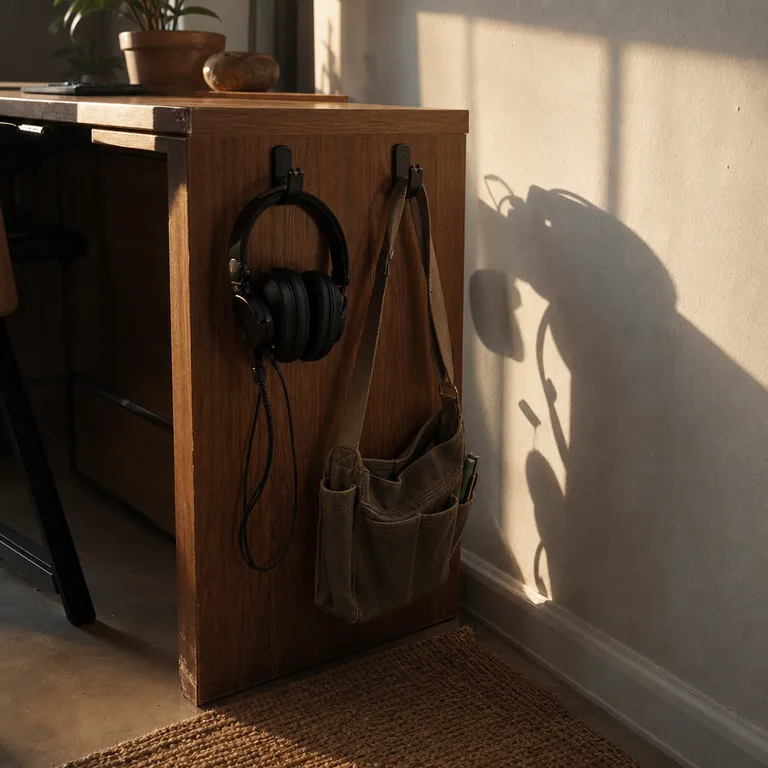
Place hooks on the desk's outer side rather than between two users, so hanging items do not crowd legroom. A hook near the back is often less likely to catch on a passing knee.
Adhesive hooks are a simple option for lightweight gear, while clamp-on hooks can be moved as the setup changes. Keep bags light enough that they do not pull the desk or strain an adhesive mount.
Worth knowing: Hanging bags can obstruct a tight walkway or catch on chair arms if the hook is placed too close to the front edge.
7.Use a monitor riser with storage underneath
A basic monitor riser creates a useful storage zone beneath the screen for a notebook, keyboard, or shallow tray. It gives the desktop a clearer structure without adding a large organizer.
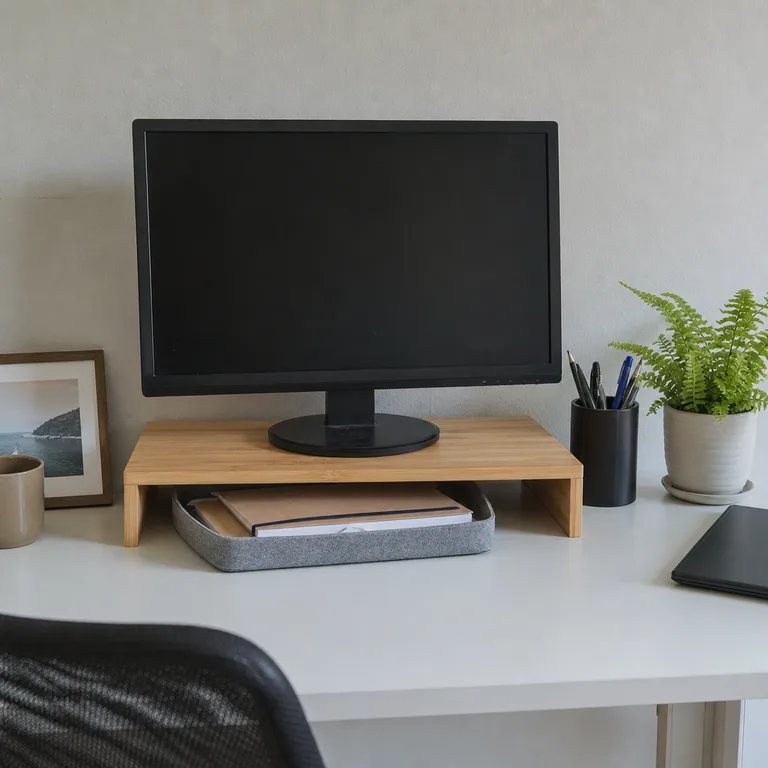
The open space under the riser is best for items that are used often but do not need to stay in view. Sliding a keyboard underneath at the end of the day can also free up room for shared paperwork.
Choose a stable riser wide enough for the monitor base, and test the viewing height from the chair. The screen should remain comfortable to look at rather than being raised simply to create storage.
Worth knowing: A riser can make a monitor too high for some users, particularly when the desk and chair have limited adjustment.
8.Keep charging gear in a ventilated desktop box
A box with cable openings gives spare chargers, power banks, and short cords one contained place at the back of the desk. It reduces the tangle of small charging gear that tends to migrate across a shared surface.
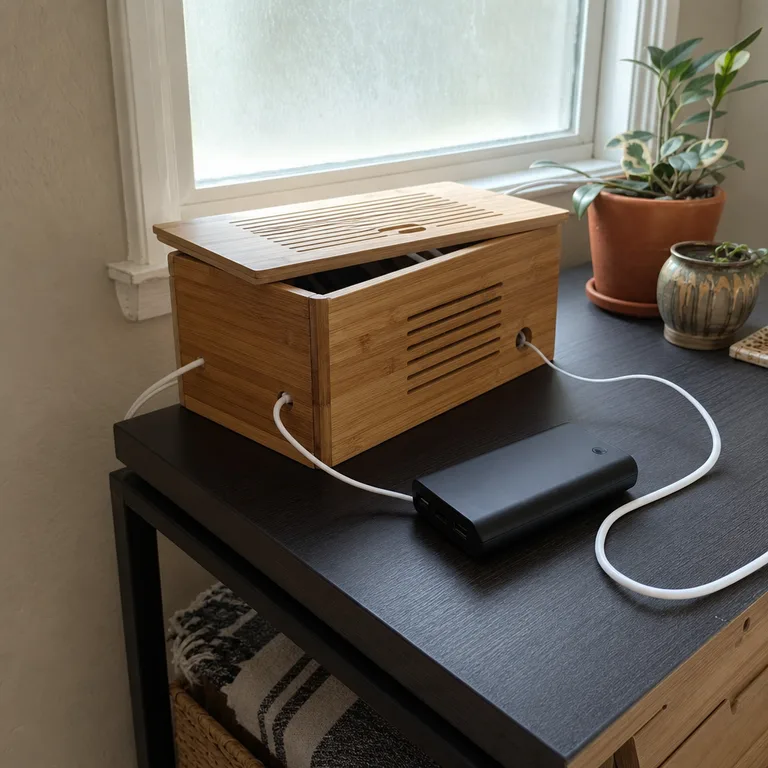
Use it for gear waiting to be used or cool, low-power items that do not need constant handling. Feed only the necessary cables through the openings, and label shared cords to prevent mix-ups.
Choose a ventilated design or leave the lid open when adapters are in use. Keep the box away from spills, direct heat, and papers that could cover vents or trap warmth.
Worth knowing: A closed box is not suitable for adapters that become warm during active charging.
9.Attach a magnetic strip for metal desk tools
A short magnetic strip keeps metal scissors, binder clips, and rulers visible above the desk or along an outer side panel. It replaces a loose desktop pile with a storage spot that takes up almost no working space.
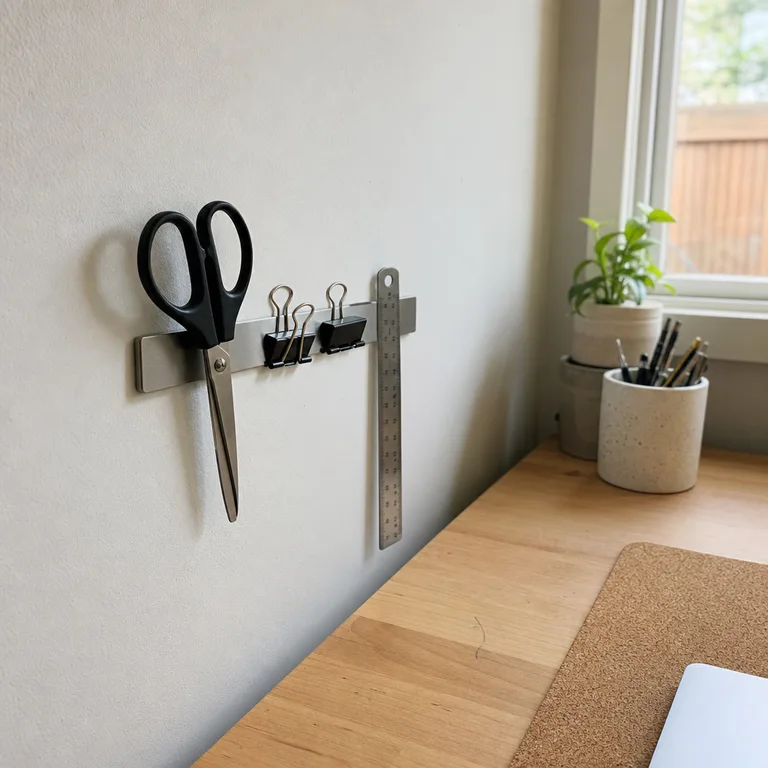
Group only lightweight metal tools on the strip so it stays practical and uncluttered. This works especially well for supplies that are frequently borrowed and need an obvious return location.
Mount the strip where it cannot be bumped by a monitor, chair, or passing bag. If children use the room, place sharp tools high enough to be out of reach.
Worth knowing: Not every desk tool is magnetic, and exposed sharp items need careful placement in a shared household.
10.Slide a rolling drawer cart beside the desk
A narrow rolling cart adds drawer storage for bulk stationery, spare paper, and supplies that do not belong on the desk. It can sit beside the open end of the desk and roll away when the room needs a temporary second chair or easier cleaning access.
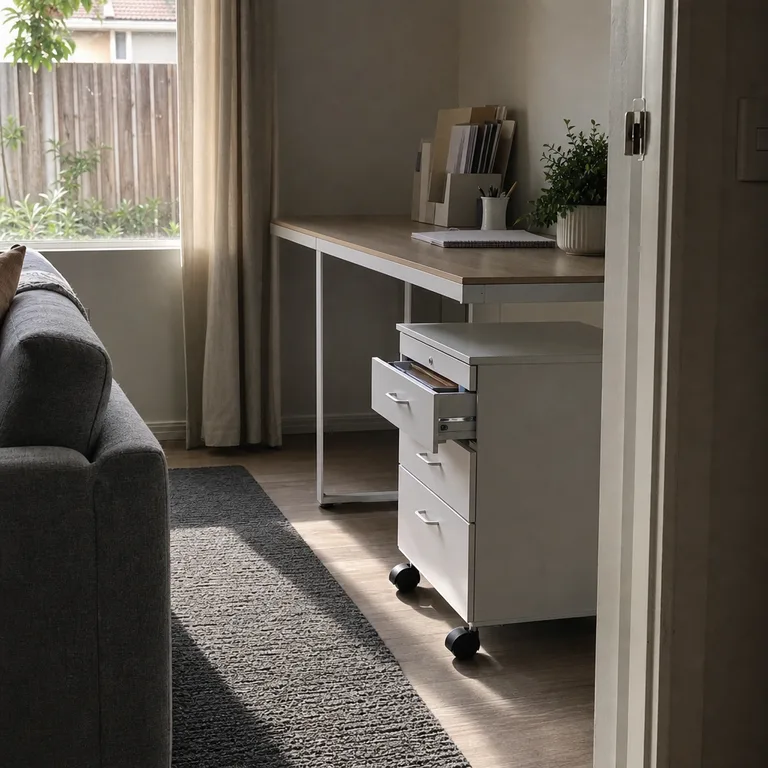
Assign drawers by category rather than by random overflow, such as paper in one drawer and shared office supplies in another. The top can hold a printer or a tray if it does not create another cluttered surface.
Measure the available walkway and test the cart's movement before treating it as permanent storage. Low-pile rugs are easier for casters than thick rugs, which can make a loaded cart hard to move.
Worth knowing: A rolling cart can make a compact room feel tighter if there is not enough clear space beside the desk.
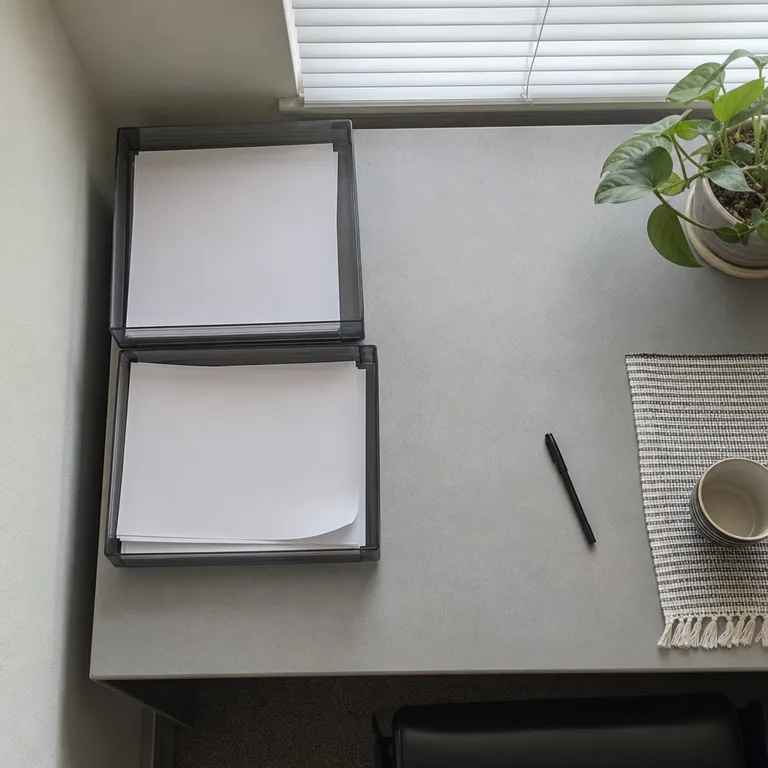
Keep the labels simple, such as “to review” and “finished,” so papers do not stall in an overly detailed system. A brief regular check prevents trays from becoming long-term storage.
Place the trays at one desk corner or on a nearby shelf if the shared surface is especially narrow. Use an opaque folder inside a tray for paperwork that should not be openly visible.
Worth knowing: Paper trays reduce desk piles, but they still require a routine for filing or discarding documents after they are handled.
12.Store daily devices in a divided drop zone tray
A divided tray near the desk entrance gives phones, glasses, keys, USB drives, and earbuds a defined end-of-day home. It stops these small items from drifting onto the keyboard area the next morning.
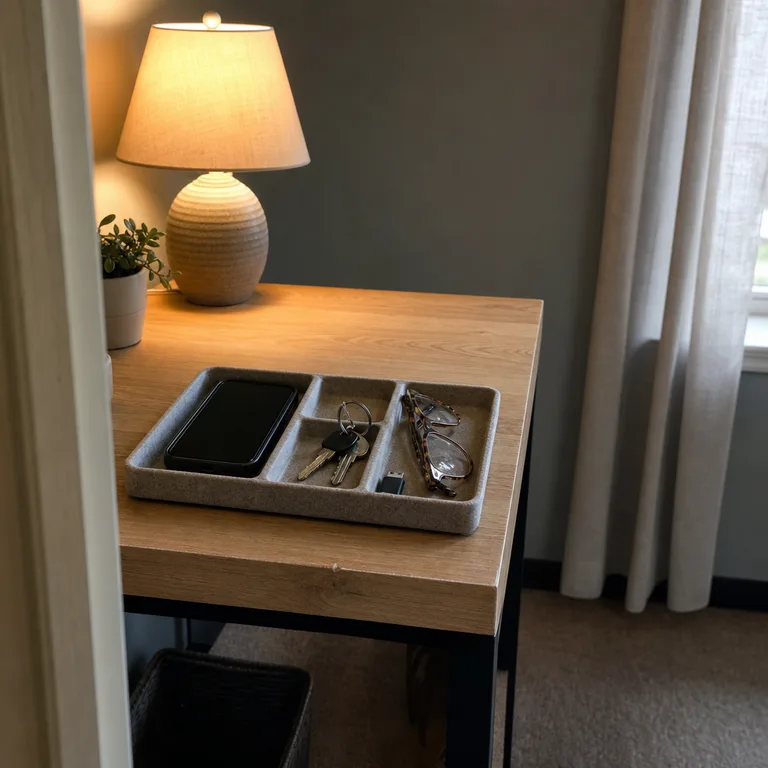
Use sections that match the objects that regularly appear at the desk, rather than filling the tray with supplies better stored elsewhere. A shallow felt, wood, or plastic tray is easy to move when the desk needs to serve another purpose.
Keep charging cables beside the tray only if they can be routed safely and without crossing the main work area. Avoid leaving drinks near devices, especially on a desk shared by two people.
Worth knowing: A drop zone tray can become another clutter spot if it is used for mail, snacks, and unrelated items as well as daily devices.
About the author
Dana Ruiz, Senior editor
Dana writes about small-space living, storage and low-cost decorating.
Keep reading
9 Budget Sewing Fabric Storage Ideas for Small Bedrooms
November 4, 2026
10 Easy Suitcase Storage Ideas to Clear Bedroom Clutter
November 4, 2026
8 Table Linen Storage Ideas for Homes Without a Dining Hutch
November 2, 2026
10 Craft Paper Storage Ideas for Small Homes
November 2, 2026